Is This Short Link Safe? How to Check Before You Tap
Got a short link you do not trust? See where it really goes before you tap, the red flags to look for, and why a link that was safe yesterday can change.
 Noman Mustafa Owner
- Published
- Reading time9 min
On this page 21 sections
Someone sent you a short link. You cannot see where it goes, and something about the message feels off. Is this short link safe?
You can check in about ten seconds, without opening it. Paste it into a link expander and read the address that comes back.
Here is how to do that, the red flags worth knowing, and one thing about short links that almost nobody tells you.
How to see where a short link goes
Five steps, and the first two take about ten seconds.
Copy the link, do not tap it. Press and hold the link, then choose Copy link. Paste it into the free Link Expander, which shows the real address without sending you there.
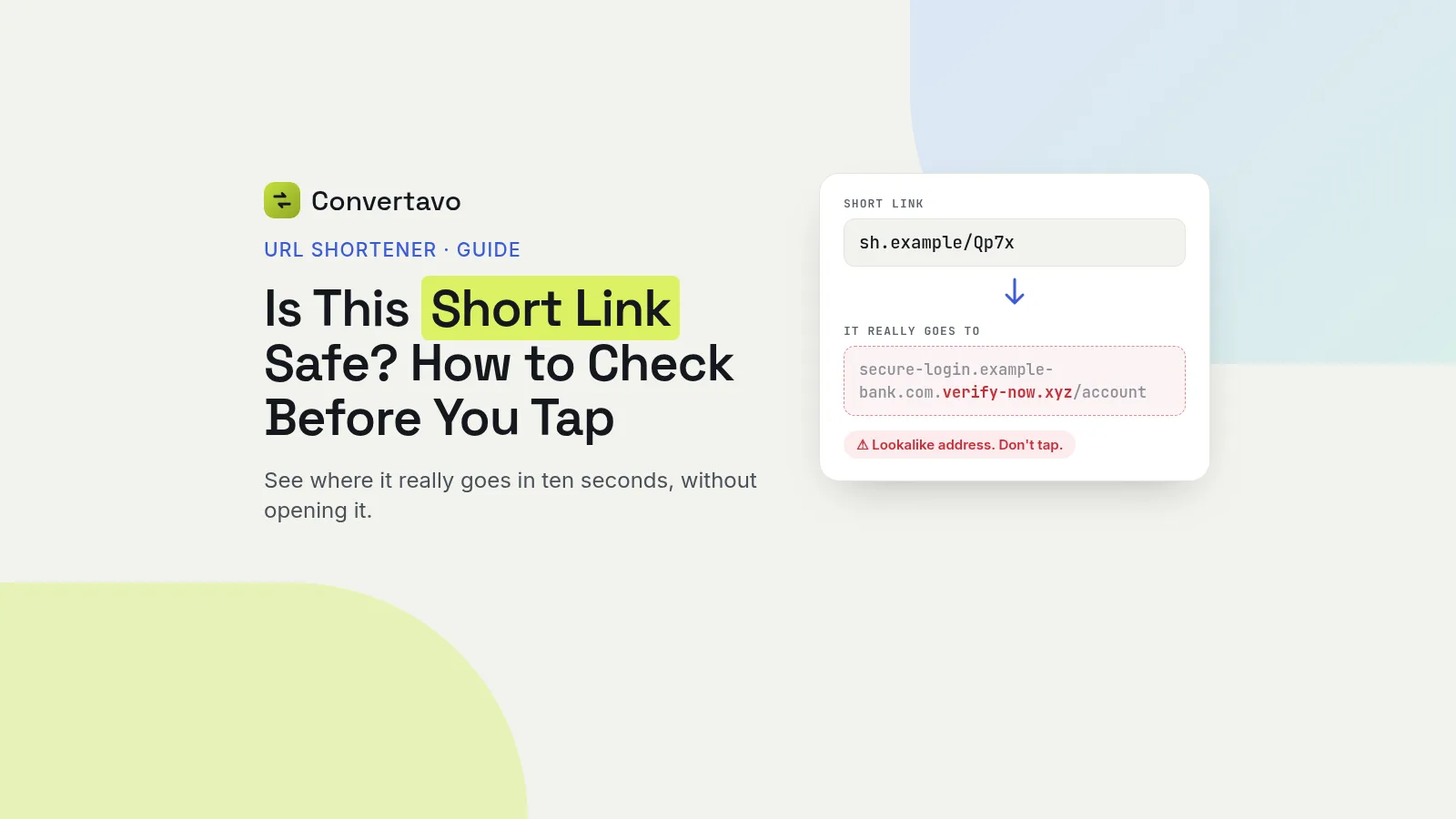
Read the domain from the right. The real site name is the last part before the first single slash. In secure-login.example-bank.com.verify-now.xyz/account, the real site is verify-now.xyz, not the bank.
Look for a lookalike name. Scammers buy names that read almost right: a zero instead of an o, an extra word, or a different ending like .co instead of .com. Read it slowly, letter by letter.
Scan the destination. Paste the long address into Google Safe Browsing or VirusTotal. Both are free, and both check it against lists of known phishing and malware sites.
Judge the message, not just the link. Were you expecting it? Does it rush you? Does it want a password, a card number or a one-time code? Any of those, and the link does not matter. Delete it.
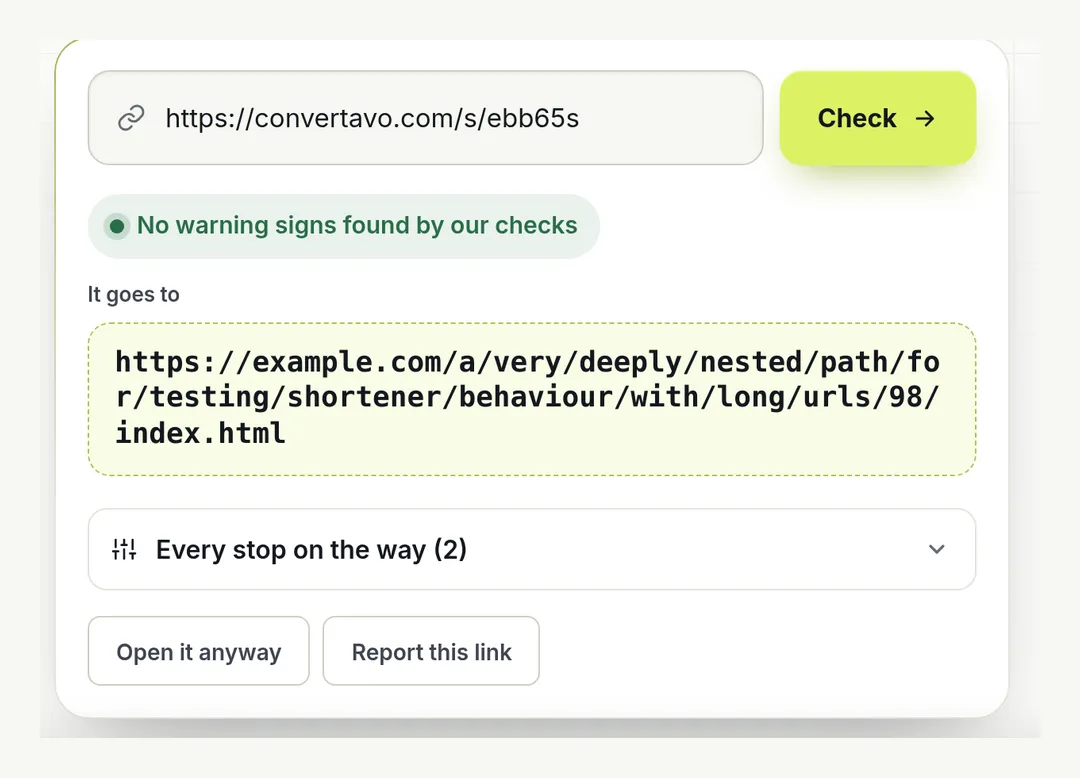
Step 1: the Link Expander shows the full address, every stop on the way, and a report button.
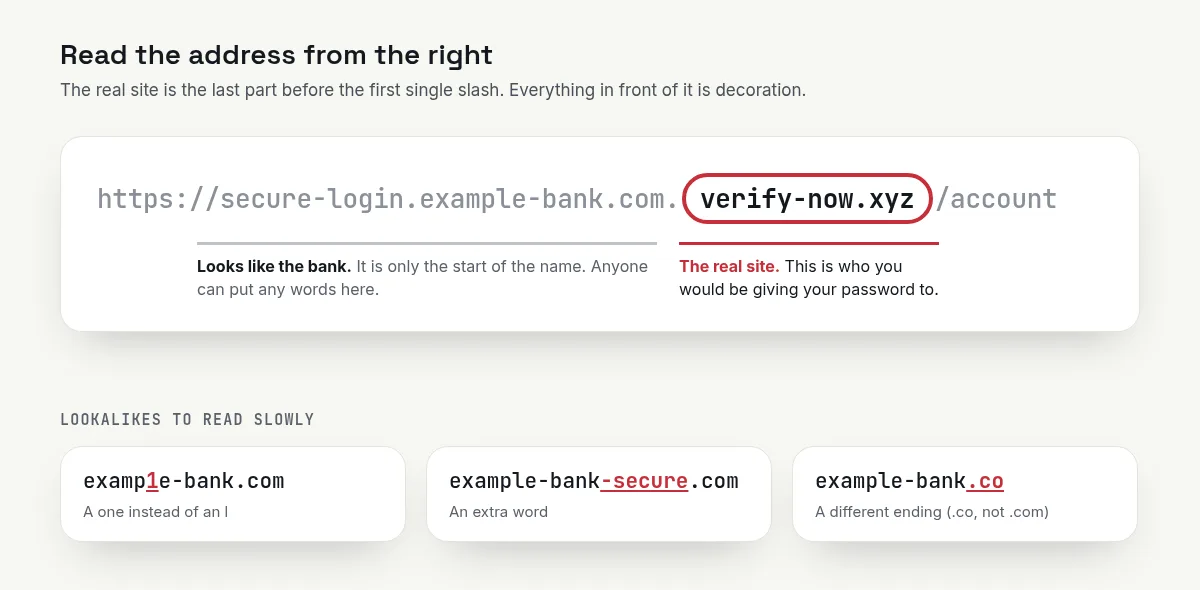
Steps 2 and 3: the real site is the last part before the first single slash.
If you are on a phone and cannot copy the link, forward the whole message to yourself on a computer. It is easier to read an address on a big screen, and that is half the battle.
Eight red flags in a short link message
None of these proves a scam on its own. Two or more together, and you delete the message.
Red flag | Why it matters |
|---|---|
You were not expecting it | Almost every scam arrives unasked |
It rushes you | "Your parcel will be returned today" exists to stop you thinking |
It asks for a password, card or one-time code | No real company asks for these in a message |
The sender is a plain mobile number | A bank or courier does not text you from a personal number |
The expanded address is a lookalike | A zero for an o, an extra word, or a different ending |
No https on the destination | Not proof of a scam, but a bad sign on any login page |
The link is in an image or a QR code | You cannot read it at all until you expand it |
It offers something for nothing | Prizes, refunds and free phones have a cost |
The one in the middle matters most. The address is the only part of a message a scammer cannot fake, so read it before you read anything else.
And a short link is not a red flag by itself. Most short links are perfectly safe. Shops, clinics and schools use them every day, because a long link breaks in a text message.
The checks for where the link came from
The method is the same. What changes is how suspicious you start out.
A short link in a WhatsApp message
Press and hold the link, copy it, and expand it. Be careful with links forwarded by a friend, because they often did not check either. A message that came from a group you barely use deserves more doubt than one from a person you spoke to yesterday.
A delivery or parcel text
This is one of the most common scam messages there is. A text asking for a small fee to release a parcel is the classic version. Do not use the link at all. Open the courier's own app, or type their website address yourself, and track the parcel with the number you already have.
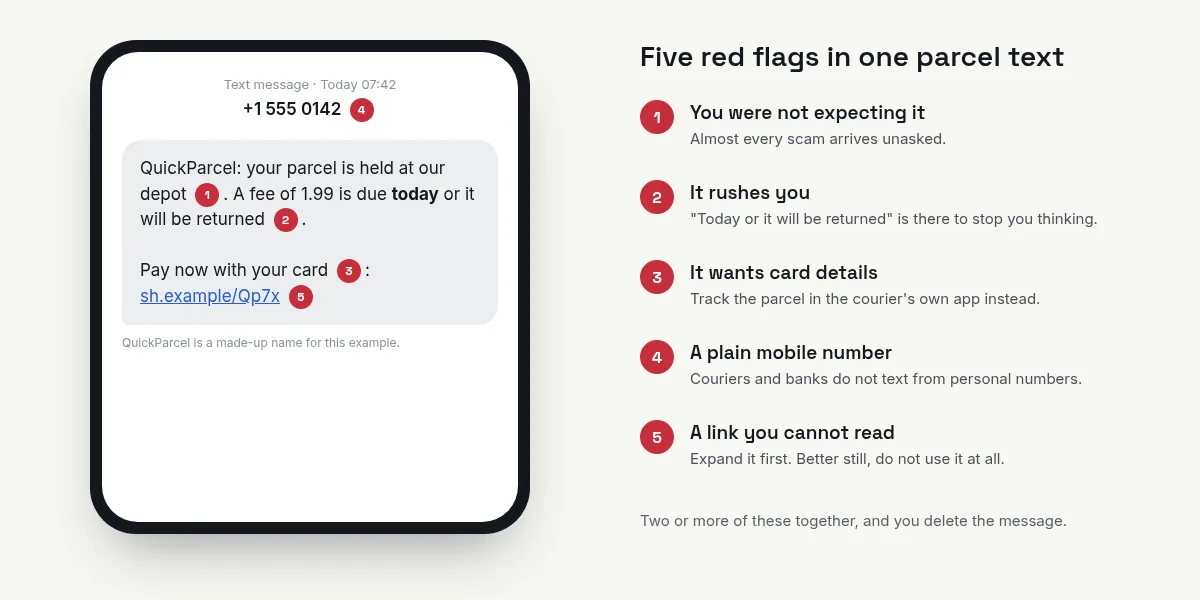
One made-up parcel text, five red flags.
A bank or tax message
Same rule, stricter. Never open a bank link from a message. Use the app you already have installed, or type the address into your browser by hand. If the message was real, the same notice will be waiting for you inside the app.
A QR code on a table, a poster or a bill
You cannot read a QR code with your eyes, so this is clicking blind. Use a scanner that shows the address and waits for you to confirm, such as the QR Code Scanner. Check for a sticker stuck on top of the original code, which is a trick that works in car parks and restaurants.
A link in an email from a company
On a computer, hover over the link without clicking and read the address in the corner of the window. On a phone, press and hold to see the same thing. Then compare it with the company's real website address.
A link you sent yourself and forgot
If you made it, you can still check it. Expand it the same way, and you will see your own destination come back.
Is checking a link free, and what gets stored?
Yes, it is free, and expanding a link does not visit the page as you. Checking whether a short link is safe should never cost you anything.
Does it cost anything?
No. The Link Expander is free with no account. Google Safe Browsing and VirusTotal are free too, so there is no reason to skip the check.
Does the scammer learn that I checked?
Not in the way that matters. An expander follows the redirect from its own servers, not your phone, so your device and your location are not handed over. Clicking the link yourself is what tells them a real person is on the other end.
What makes one shortener safer than another?
Whether it checks destinations before the link goes live. A good service screens every new link, and the pages the link passes through on the way.
On Convertavo, every redirect a new link passes through is followed and checked. Blocked sites are refused, links to other shorteners are not allowed at all, and an address that looks like phishing opens behind a warning page first. Three reports from different people pause a link until someone looks at it. Those rules exist because a shortener with no rules becomes a scammer's favourite tool.
What does a link learn about me?
That depends on the service. On the Convertavo URL shortener, visitors' IP addresses are never stored and no cookie is used to count clicks. Unique visitors are counted with a scrambled value that changes daily.
Watch the tags instead. A link ending in fbclid or gclid carries a code that tells the site you land on that you came from a Facebook post or a Google ad. That is not a scam, just something worth knowing.
The thing nobody tells you: a short link can change
Expanding a link shows you where it goes right now. It does not show you where it will go tomorrow. A short link that was safe yesterday can lead somewhere else today.
A short link is just a redirect. Many services let the owner point the same short link at a different page whenever they like. The link never changes. The destination does.
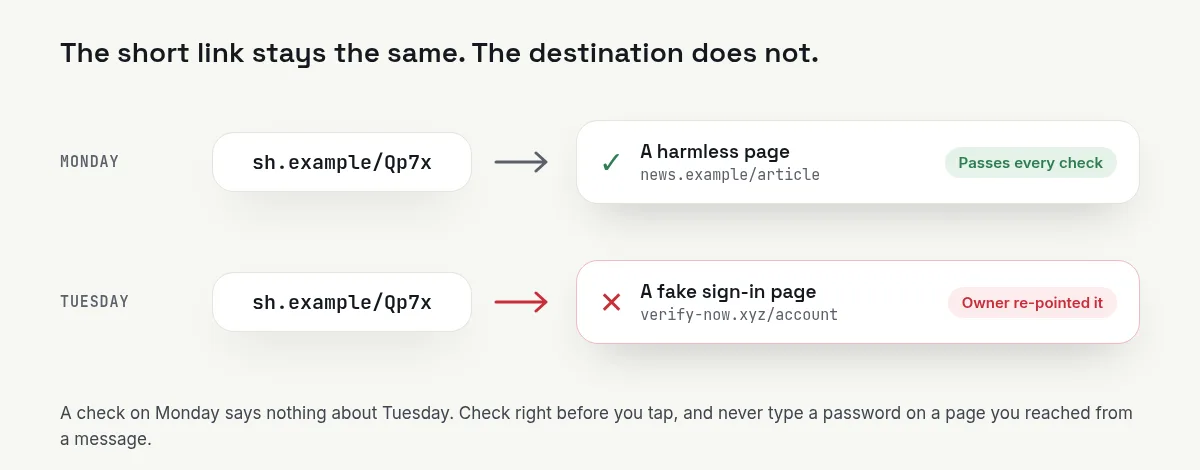
Same short link, different day, different page.
Why that is useful, and why it is a risk
For a café, this is the whole point. Print a QR code on every table, point it at this week's menu, and change the menu next week without reprinting a thing.
For a scammer, the same feature is a trick. Send a link that goes somewhere harmless, let it pass every safety check, then switch the destination a day later. Everyone who checked it early checked the wrong page.
What to do about it
Check it right before you tap, not hours before. A check from yesterday means nothing.
Never type a password or a card number on a page you reached from a message. Even a clean expand result does not earn that. Open the app, or type the address yourself.
Treat a QR code as a link you cannot read. Many printed codes hold a short link rather than the final page, so the destination behind them can change after printing. Always use a scanner that shows you the address and waits.
Look for stickers. A QR code stuck on top of another one, on a parking meter, a table or a bill, is the oldest version of this trick.
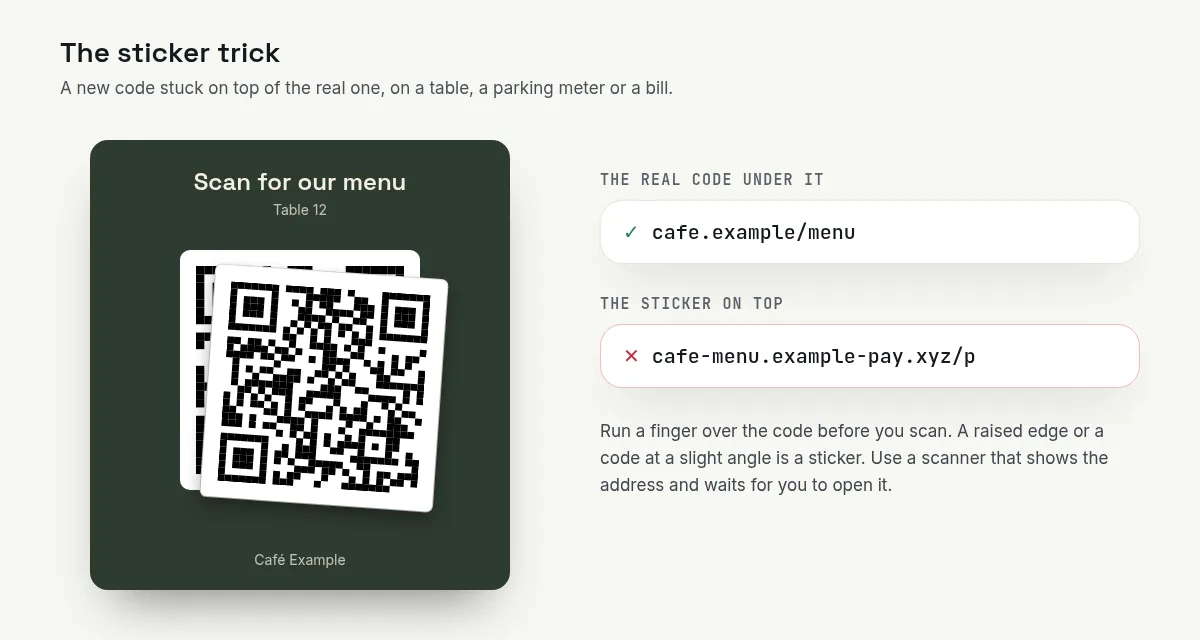
The sticker trick: a new code stuck over the real one.
If you already tapped it
Do not panic, and work through this in order.
Close the page without typing anything. Just opening a page is rarely the damage.
If you entered a password, change it now. Change it anywhere else you used the same one, and turn on two-step login.
If you entered card details, call your bank. Say the card may be compromised. They will block it.
If you installed anything, remove it. Then run a scan with the security app your phone already has.
Report the link. Most shorteners have a report page, and reports are what get a scam link paused.
Why is my short link not working?
This part is for the person sending links, not receiving them. Nine common cases.
What is happening | Why | What to do |
|---|---|---|
WhatsApp or Facebook says the link is unsafe | The destination is on a blocklist, or the shortener has a bad reputation | Check the destination yourself, and use a shortener that screens links |
The link stopped working | It had an end date or a click limit set | Make a new one, and leave the expiry empty this time |
It opens an old page | The destination was changed, but a permanent (301) redirect was remembered by the browser | Use a temporary (302) redirect when you expect to change it later |
Your custom ending is taken | Someone used it first | Try a longer one. Endings can be 3 to 40 characters |
The link breaks in a text message | It wrapped across two lines | Put a space before and after it, and keep it at the end |
Nobody can open it | A password was added and never shared | Send the password separately, or remove it |
You cannot edit your own link | It was made without an account, in another browser | Make a free account so links follow you, not the browser |
The click count looks too high | Chat apps open links to draw a preview | Those are counted as bots, not people. Read the human number |
Your link got paused | Three different people reported it | Check what it points to, then contact support |
One habit prevents most of these. Open your own short link once, on your own phone, before you send it to anybody.
Other free link tools
Link Expander shows where any short link really goes, before you open it.
QR Code Scanner reads a code and shows you the address first, instead of jumping straight there.
Link in Bio Page puts all your links on one page people can see at a glance.
Check the link, then make yours worth trusting
When a short link arrives, copy it, expand it, read the domain from the right, and judge the message as well as the address. That is how you answer "is this short link safe" every time. If you send links yourself, use a URL shortener that screens every destination before the link goes live, and give your links a custom ending people can read. A link that says what it is looks far more trustworthy than a random one.
Frequently asked questions
How can I see where a short link goes without clicking it?
Copy the link and paste it into a link expander. It follows the redirect from its own servers and shows you the real address. Your phone never visits the page.
Are short links dangerous?
Not in themselves. Shops, clinics and schools use them daily because long links break in messages. The risk is that you cannot read the destination, so check it when the message is unexpected.
Is it safe to scan a QR code?
Treat it as a link you cannot read. Use a scanner that shows the address and waits for you to confirm. Watch for a sticker placed over the original code.
Can a short link change where it goes after I check it?
Yes. If the service lets the owner edit the link, they can point it somewhere else at any time. So check right before you tap, and never type a password on a page you reached from a message.
What should I do if I already clicked?
Close the page without entering anything. If you typed a password, change it and turn on two-step login. If you gave card details, call your bank straight away.
Why does WhatsApp say my own link is unsafe?
Usually the destination is on a blocklist, or the shortener you used has a poor reputation. Check where your link points, then use a service that screens every link before it goes live.
Try it on your own file
Free, no signup, and your file is deleted an hour later.
Noman Mustafa — Founder of Convertavo I build the file tools on this site. Fifteen years of writing software, and most of my days now go into making PDF, image and OCR processing fast enough to run in a browser tab. I write here about what I learn breaking files apart.