How to Add Multiple Links to Your Instagram Bio
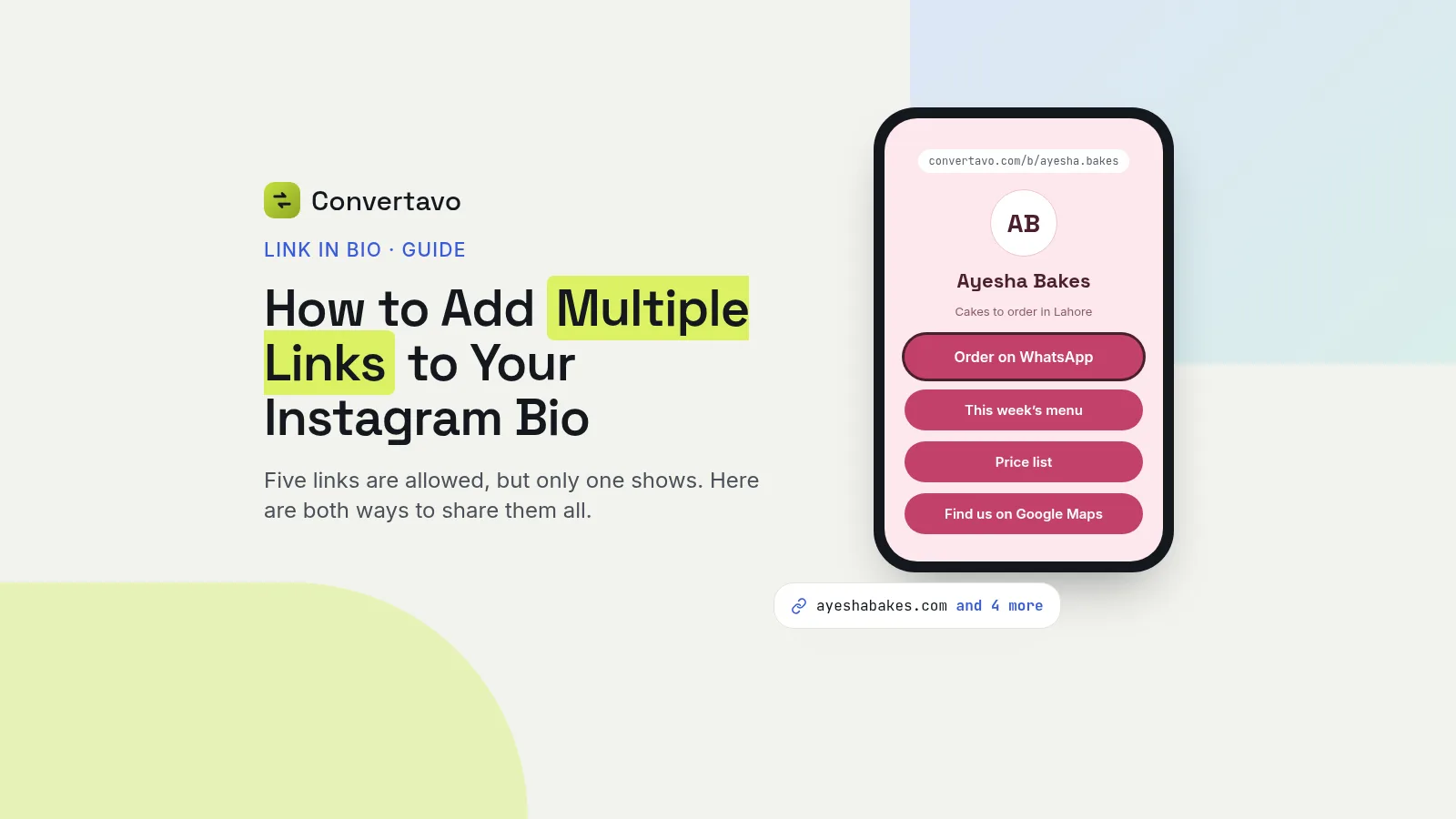
Instagram allows five links, but only the first one shows on your profile. Here is how to add them, and how to put every link on one page instead.
 Noman Mustafa Owner
- Published
- Reviewed byMuhammad Ijaz
- Reading time10 min
On this page 24 sections
You have a shop, a menu, a WhatsApp number and a YouTube channel. You want multiple links in your Instagram bio, but it seems to have room for one.
Instagram does let you add five now. There's a catch, and most guides skip it: only the first one shows on your profile.
So there are two ways to do this. Here are both, with the steps, and a straight answer on which one fits your account.
How to add multiple links to your Instagram bio
There are two methods for multiple links in your Instagram bio. Try the first one, and move to the second when five links stop being enough.
Method 1: Instagram's own Links field
This is free, built in, and takes about a minute. You need the Instagram app on your phone, because profile links cannot be changed from a computer.
Open your profile and tap Edit profile.
Tap Links, then Add external link. This is the field that used to be called Website.
Paste your URL and add a title. The title is what visitors read instead of the raw address, so write "Order on WhatsApp", not a long link.
Repeat until you have up to five. Five is the limit. Tap the checkmark to save the list.
Reorder them, most important first. Only the first one shows on your profile, so that choice matters more than the other four put together.
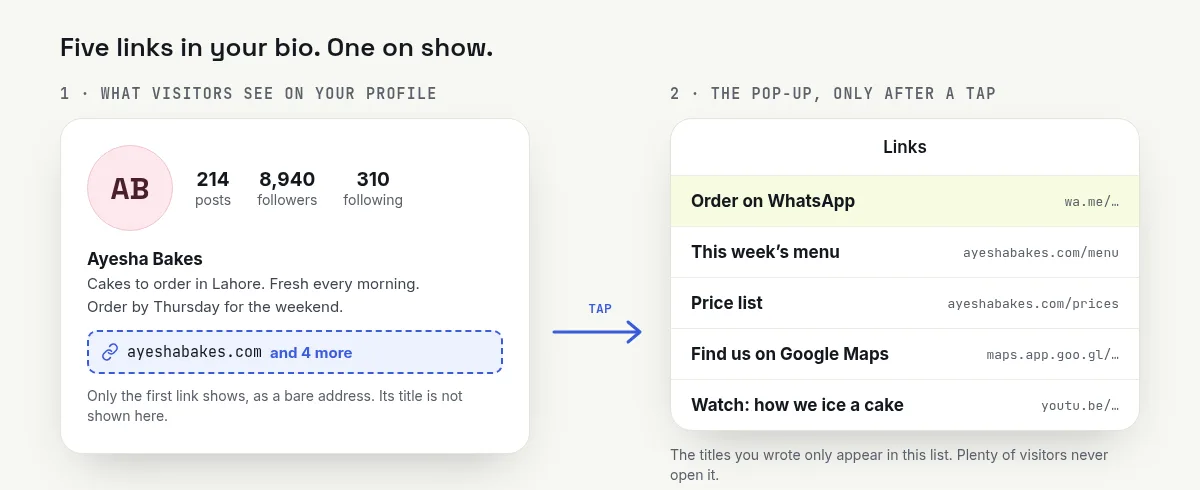
Five links, one on show. The rest wait in a pop-up until someone taps.
Method 2: one link that opens all of them
Use this when you have more than five things to share, or when you want people to actually see every option.
Make your page. Open the free link in bio page, sign in, and pick the name that goes after /b/, such as your shop name. You see straight away if it is free.
Add your name, one line about you, and a picture. Keep the line short. It sits right above your buttons.
Add your blocks. Buttons, headings, a YouTube video, a Spotify track, and a form for email sign-ups. You can have up to 30 buttons.
Make it look like you. Pick one of 10 themes or set your own colours, then the button shape and font. The phone beside the editor updates as you type.
Press Create my page and copy the address. Paste that one address into your Instagram, TikTok or X bio, and leave it there.
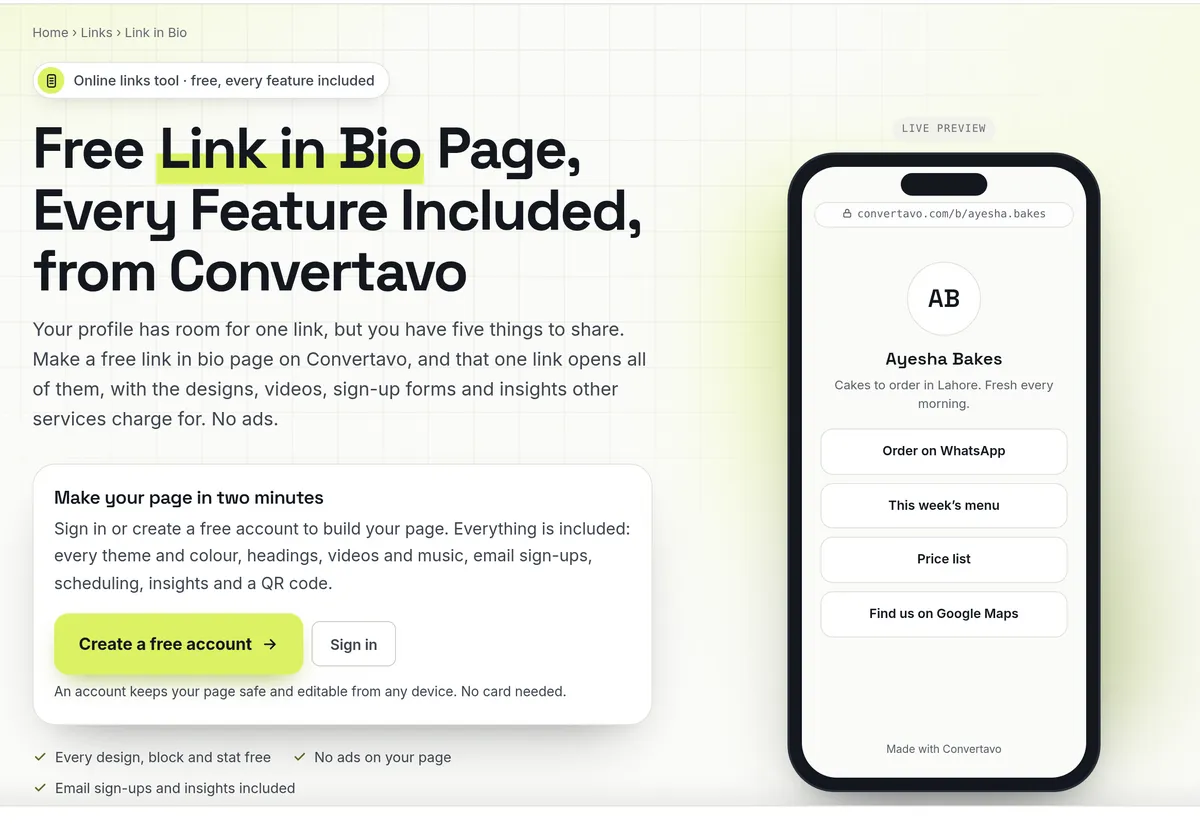
The Link in Bio tool, with the live preview beside it.
After that you change the buttons, not your bio. The page keeps its address for good, so the link in your profile never has to change again.
Which method should you pick?
Both methods put multiple links in your Instagram bio, but they work very differently. Five destinations or fewer, and they rarely change: use Instagram's own Links field. More than that, or you want to see what people tap: use one bio page.
Instagram's Links field | One bio page | |
|---|---|---|
How many links | Up to 5 | Up to 30 buttons |
What visitors see | Only the first one, the rest behind a tap | Every button at once |
Looks like | Plain text, same as everyone | Your colours, theme and photo |
Videos and music | No | YouTube and Spotify play on the page |
Email sign-ups | No | Yes, and you can download the list |
Click data | No | Views, clicks and click-through rate per button |
Schedule a link | No | Yes, set when it appears and goes |
Works on | Instagram only | Instagram, TikTok, X, YouTube, anywhere |
Cost | Free | Free, every feature, no ads |
Setup time | About a minute | About two minutes |
The honest version: if you have three links and never change them, Instagram's field is fine. Use it.
The moment you are swapping that link every week, or you want to know whether anyone clicks the menu, a page is less work and tells you more.
What to put on your page, by what you do
The setup is the same. What changes is the order of the buttons.
A home business taking orders on WhatsApp
Put the WhatsApp button first and give it the spotlight, so it is the first thing anyone sees. Then the menu or price list, then your location. A weekly sign-up form is worth adding, because those addresses are yours and the platform cannot take them away.
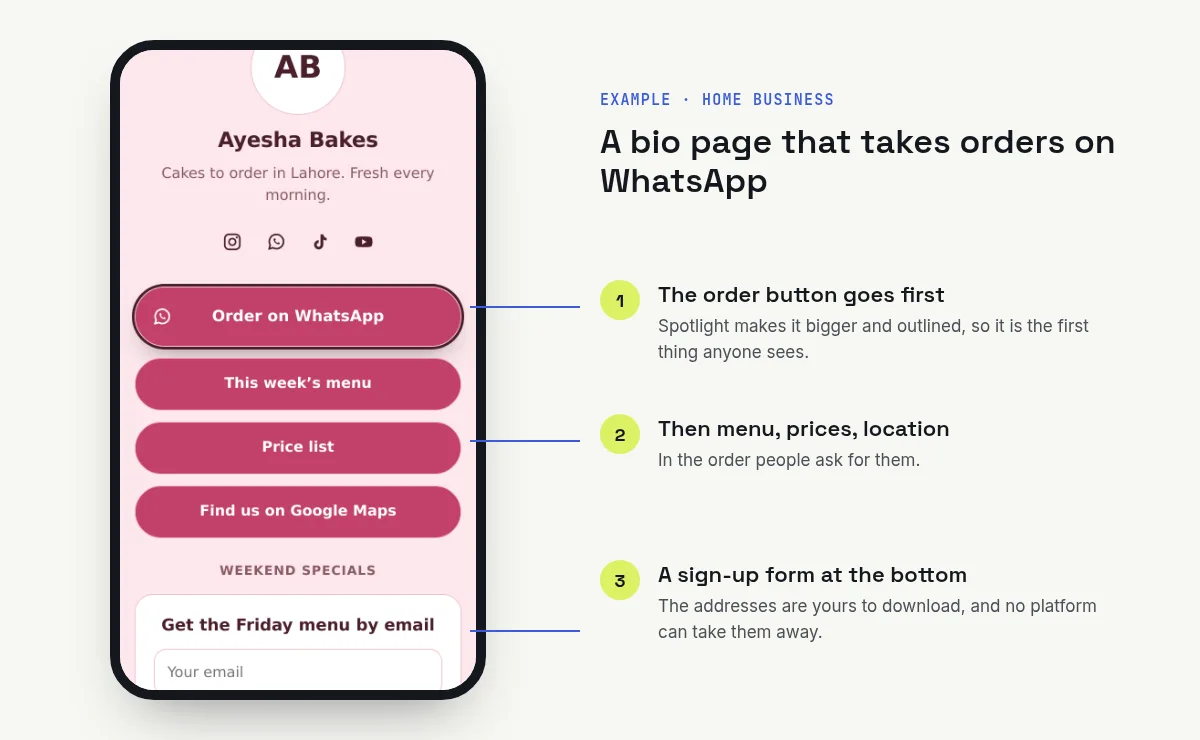
A home bakery page: the order button first, the sign-up form last.
A creator with a channel on three apps
Lead with your newest video, which plays on the page itself. Then your podcast, then social icons for every channel. Check the click numbers after two weeks, because the channel you think people want is often not the one they tap.
A shop with a catalogue
One button per category beats one button to the homepage. People came from a specific post, so send them to the matching thing. Put the current promotion at the top and schedule it to disappear when it ends.
A small event or a workshop
Tickets, venue map and schedule, in that order. Set the ticket button to vanish when sales close, so nobody books after the deadline. Print the QR code from the Share tab on your posters.
Link in bio for TikTok and YouTube
Same page, same address. TikTok has a single website field, YouTube has its own links section, and your page works in both. That is the real argument for one page: you set it up once and paste it everywhere.
If you only have one thing to share
Then you do not need any of this. Put the link straight in your bio, and shorten it first with the URL Shortener so it looks tidy.
Is it free, and is it safe?
Yes, every feature is free, and there are no ads on your page.
What does free actually include?
All 10 themes and your own colours, videos and music, email sign-ups, scheduling, insights and the QR code. No paid tier holds any of it back, and you can edit as often as you like. A small "Made with Convertavo" line sits at the bottom, and you can turn that off in Settings.
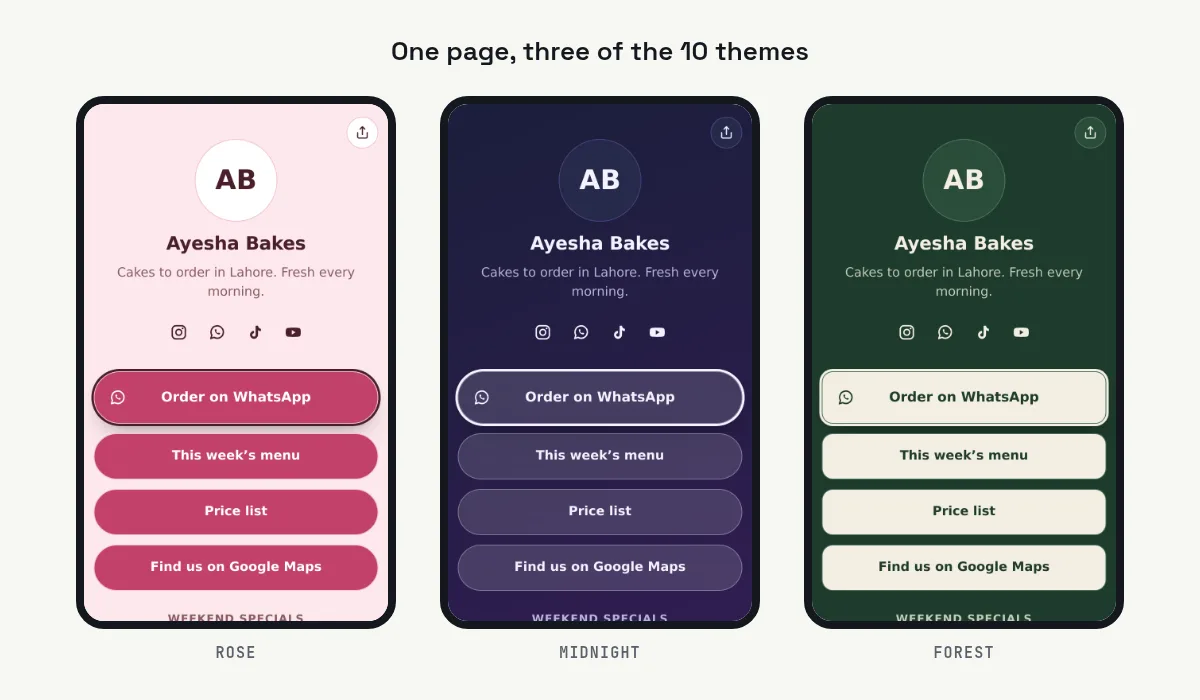
The same page in three of the 10 themes.
That is worth comparing against the usual pricing. Many bio link services keep some themes, scheduling or detailed click data for paying users.
Why do I need an account?
So the page stays yours on any device, and so your click data and email sign-ups have somewhere safe to live. It is free and needs no card.
How are visitors tracked?
They are counted without cookies. Bots are left out, and IP addresses are never stored. You still see views, unique visitors, clicks per button and where people came from.
Rules worth knowing before you start
Your address is fixed once the page is made. Pick it carefully, 3 to 30 characters.
Up to 30 buttons per page, one email sign-up form, and up to 10 pages per account.
Search engines skip your page unless you tick the box in Settings.
Profile picture up to 1 MB, background picture up to 4 MB, and new copies are saved so your photo's hidden location does not travel with it.
Every button gets the same safety checks as a short link, so nobody can hide a scam behind a bio page.
One more thing on the email list. People who sign up are trusting you. Use the addresses for what you promised, and remove anyone who asks.
How many links can you really put in an Instagram bio?
Five, since April 2023. But only one of them is visible, and that difference decides everything else on this page.
Before that change, every account had a single Website field, which is where the phrase "link in bio" came from in the first place.
The part that matters: only the first link shows
When you add more than one link, your profile displays the first one plus a count of the others. A visitor has to tap that to see the full list in a pop-up, as Social Media Examiner describes.
So adding five links is not the same as showing five links. Four of them now cost an extra tap, and every extra tap loses people. That is not a complaint about Instagram. It is just how a collapsed list works.
This is why the order of your links matters far more than the number. Put the thing you want today at the top and treat the other four as a bonus.
Why the bio is the only clickable spot
A link typed into a feed caption is not clickable. It shows as plain text, and almost nobody copies it into a browser by hand.
So your bio is the one place in the feed where a tap actually goes somewhere. Everything you want people to do has to fit through it.
Four rules for what to put there
Write the action, not the noun. "Order on WhatsApp" beats "WhatsApp". "See this week's menu" beats "Menu". The title is the only clue a visitor gets.
Four to six buttons, not fifteen. A long page pushes your important button below the screen, where it gets a fraction of the taps. Cut anything you would not be upset to lose.
Match the button to the post. Someone taps your bio right after watching a reel about one product. Send them to that product, not your homepage.
Check it after two weeks, then reorder. Your insights show the click-through rate of every button. The button you were sure about is often third. Move the winner up and delete the one nobody touched.
What a bio page does not fix
It will not get you traffic on its own. If your posts never tell people to check the link, the page sits there. A line like "menu in bio" at the end of your bio is small and it works.
Why can't I add a link to my Instagram bio?
Nine reasons cover almost every case. Find yours below.
What is happening | Why | What to do |
|---|---|---|
There is no Links option | The app is out of date, or you are on a computer | Update Instagram on your phone, then open Edit profile again |
You cannot add a sixth link | Five is the limit | Use one bio page instead, or drop your weakest link |
Only one link shows on your profile | That is how it works, the rest sit behind a tap | Reorder so your most important link is first |
A link in a caption is not clickable | Captions never make links clickable | Put it in your bio, and mention the bio in the post |
The link opens an error page | A typo, or the https:// is missing | Retype it with https:// at the front |
Your link titles do not show on your profile | Titles only appear in the pop-up list | Put your key link first, or use a page where every button has a label |
The link was removed | It was flagged as unsafe | Check where it goes, then use a different address |
Your bio text got cut off | A bio is limited to 150 characters | Shorten it, and keep the call to action at the end |
Your page is not on Google | Search engines skip it by default | Tick the search engines box in Settings |
If the Links option is still missing after an update, sign out and back in. That often clears it.
Other free link tools
WhatsApp Link Shortener makes a short link that opens a chat with you, which is the button most small businesses need first.
Trackable Link shows you who clicks a link you shared somewhere other than your bio.
QR Code Generator puts your page on a poster, a card or a shop window.
Set it up once and stop editing your bio
Multiple links in your Instagram bio only help if people tap them. Pick your method, add the links, and write the button titles as actions rather than nouns. If five is not enough, build a free link in bio page with every feature included and no ads, then paste that one address into Instagram and TikTok. Come back in two weeks and reorder the buttons based on what people tapped.
Frequently asked questions
How many links can you add to an Instagram bio?
Up to five, since April 2023. Only the first one shows on your profile. The rest open in a pop-up when someone taps.
Do I need an app to put multiple links in my bio?
No. Instagram's own Links field handles up to five for free. You only need a bio page when you have more than five, or you want click data and a page that looks like your brand.
Can I put a clickable link in an Instagram caption?
No. A link in a caption shows as plain text and does nothing when tapped. The bio is the only spot in the feed where a tap goes anywhere.
Is a link in bio page free?
Yes. On Convertavo every feature is free, including themes, videos, email sign-ups, scheduling and click insights, with no ads on your page. You need a free account, and no card.
Can I change my page address later?
No, it is fixed once the page is made. Pick it carefully, because the whole point is that the link in your profile never changes.
Will my bio page show up on Google?
Not unless you want it to. Search engines skip it by default, and there is a box in Settings if you would rather it was found.
Try it on your own file
Free, no signup, and your file is deleted an hour later.
Noman Mustafa — Founder of Convertavo I build the file tools on this site. Fifteen years of writing software, and most of my days now go into making PDF, image and OCR processing fast enough to run in a browser tab. I write here about what I learn breaking files apart.