File Size Limits for Email and Apps in 2026: Gmail, Outlook, WhatsApp, Discord
The current file size limits for Gmail, Outlook, Yahoo, iCloud, Discord, Slack, WhatsApp and Telegram in one table, why a file under the limit can still bounce, and how to get it small enough.
 Noman Mustafa Owner
- Published
- Updated
- Reading time5 min
On this page 9 sections
You attach a file, press Send, and get the same answer every time: too big. Every email service and chat app has a file size limit, and they are all different. Some of them are smaller than the number they show you.
This page puts the current limits side by side. Check the one you need, see why a file under the limit can still bounce, and get it small enough in a minute.
File size limits at a glance
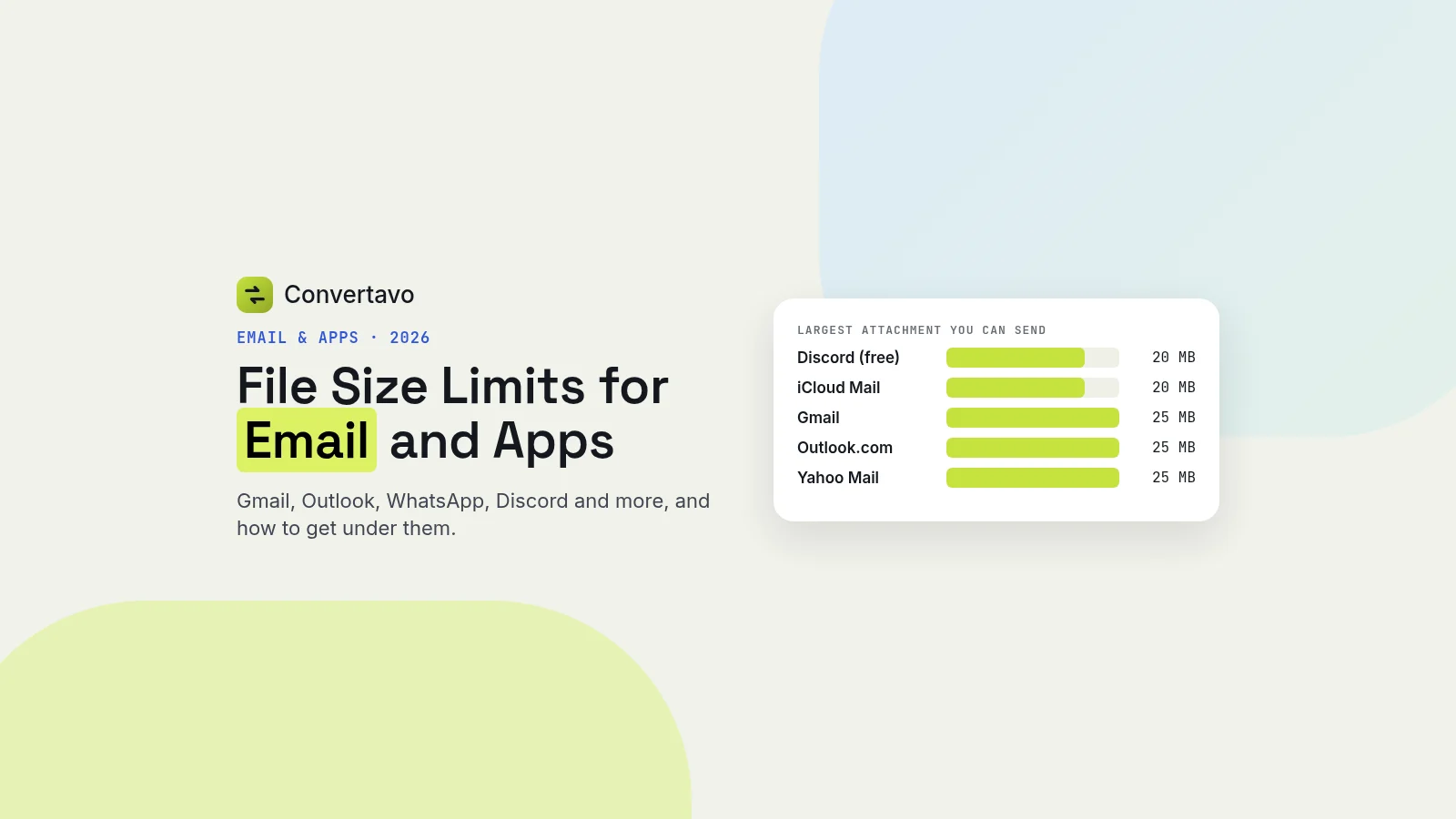
These are the limits for personal accounts, checked against each company's own help pages in November 2026.
Service | Largest file you can send | Notes |
|---|---|---|
Gmail | 25 MB | Anything bigger is turned into a Google Drive link automatically |
Outlook.com | 25 MB | Up to 2 GB if you attach it from OneDrive |
Yahoo Mail | 25 MB | All attachments in one message together, sending and receiving |
iCloud Mail | 20 MB | Up to 5 GB with Mail Drop turned on |
Discord (free) | 20 MB | Raised from 10 MB in August 2026 |
Discord Nitro Basic | 50 MB | Paid |
Discord Nitro | 500 MB | Paid |
Slack | 1 GB | Per file |
2 GB as a document | Photos and videos sent the normal way are compressed | |
Telegram | 2 GB | 4 GB with Telegram Premium |
Sources: Gmail Help, Microsoft Support, Yahoo Help, Apple Support, Discord Support, Slack Help and Telegram.
A work or school account can be different. With Google Workspace or Microsoft 365, your administrator sets the limit, and it is often lower. If a work email bounces at 10 MB, that is probably why.
Why a file under 25 MB can still bounce
Email was built to carry text, so every attachment is converted into text before it is sent. That conversion, called Base64 encoding, makes the file about a third bigger on the way.
Many mail servers measure the message after that conversion, and the person you are writing to has a server with its own limit. So a 25 MB limit can, in practice, hold a file of only about 18 MB. Your message text and any pasted images take up some of the space too. That is why a 22 MB PDF can leave your outbox and still come back as undeliverable.
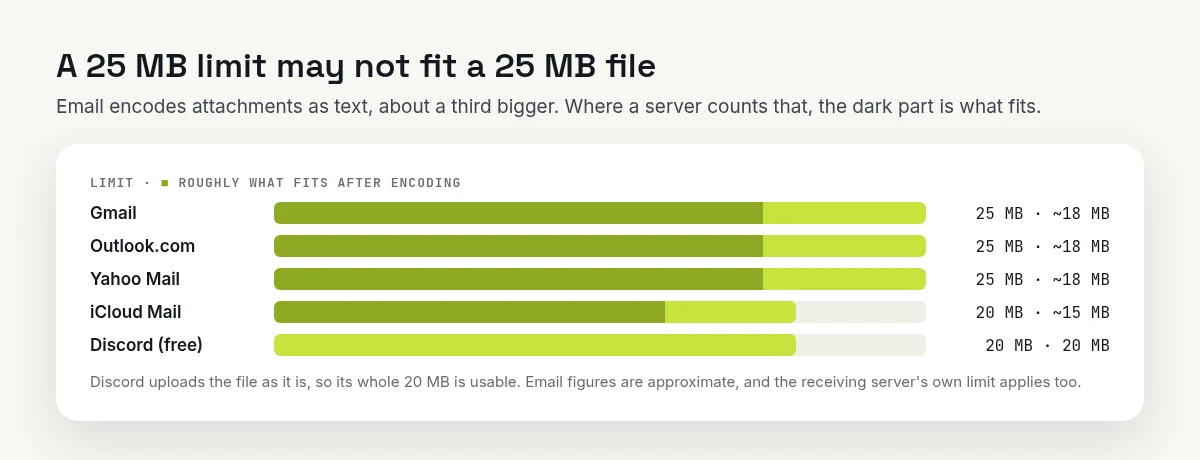
To be safe with email, aim for about three quarters of the limit. Chat apps like Discord upload the file as it is.
For iCloud Mail's 20 MB limit, the same rule means about 15 MB.
How to make a file small enough to send
Compressing is usually the quickest fix. Which tool you need depends on what the file is.
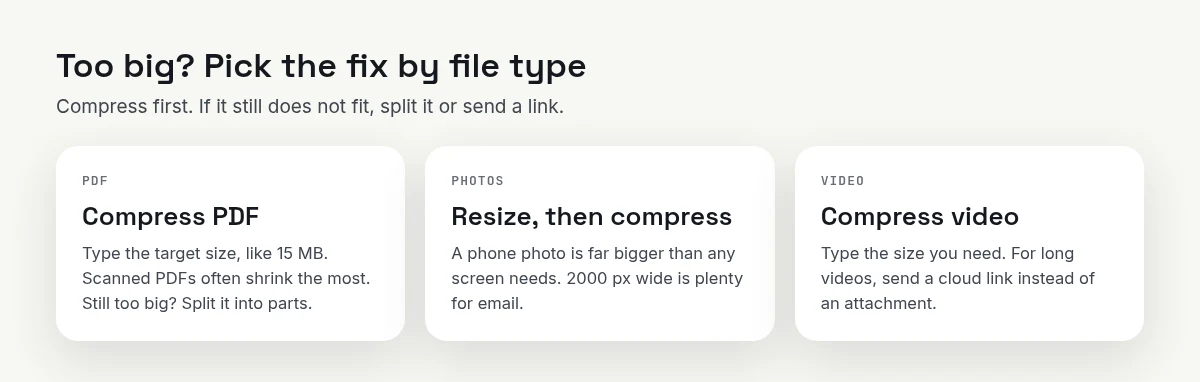
Compress first. If it still does not fit, split it or send a link.
A PDF that is too big
Open the free Compress PDF tool and add your file.
Type a target size. For Gmail or Outlook, 15 MB leaves room to spare. A portal that asks for "under 2 MB" gets 2 MB.
Compare the new pages with the old ones side by side, then download.
Scanned documents usually shrink the most, because each page is a large photo. A PDF that is mostly text is often small already. If it is still too big after compressing, use Split PDF to send it in two or three parts.
Uploading scanned papers to a visa, job or university form instead? See how to scan documents with your phone for an online form.
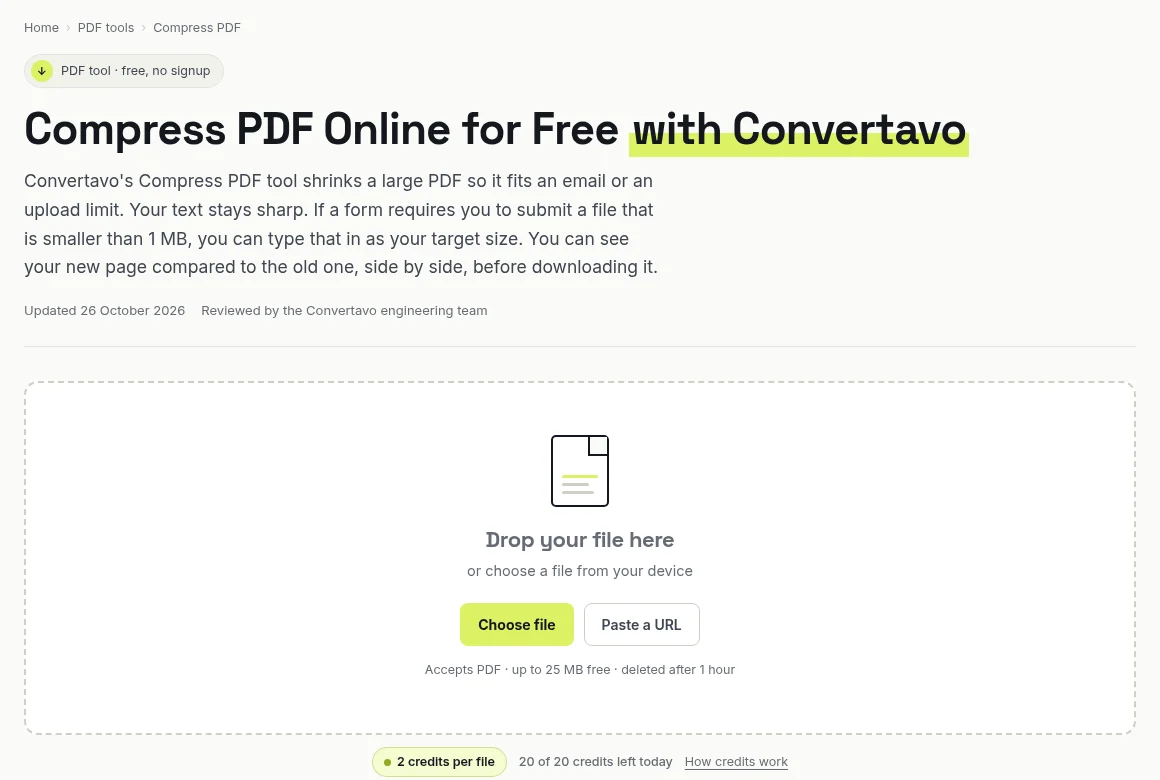
Compress PDF takes files up to 25 MB with no account, and deletes them after an hour.
Photos that are too big
A photo from a modern phone is usually several megabytes, and its pixels are far wider than any screen will show. Ten of them, and you are past the email limit.
First use Resize Image to bring them down to about 2000 pixels on the long side, which is still sharp on a laptop. Then run them through Compress Image. Most photos come out 60 to 80% lighter, and you will not see the difference. If the photos are HEIC files from an iPhone, convert them with HEIC to JPG first, so the person receiving them can open them.
A video that is too big
Video is where limits hurt most. A one-minute phone video can be over 100 MB.
Open Compress Video and upload the MP4, MOV, MKV or AVI file. Videos up to 25 MB are free with no account; bigger ones need a paid plan.
Type the size you need: 18 MB for an email, or just under 20 MB for free Discord.
Download the result. Most videos take 1 to 4 minutes.
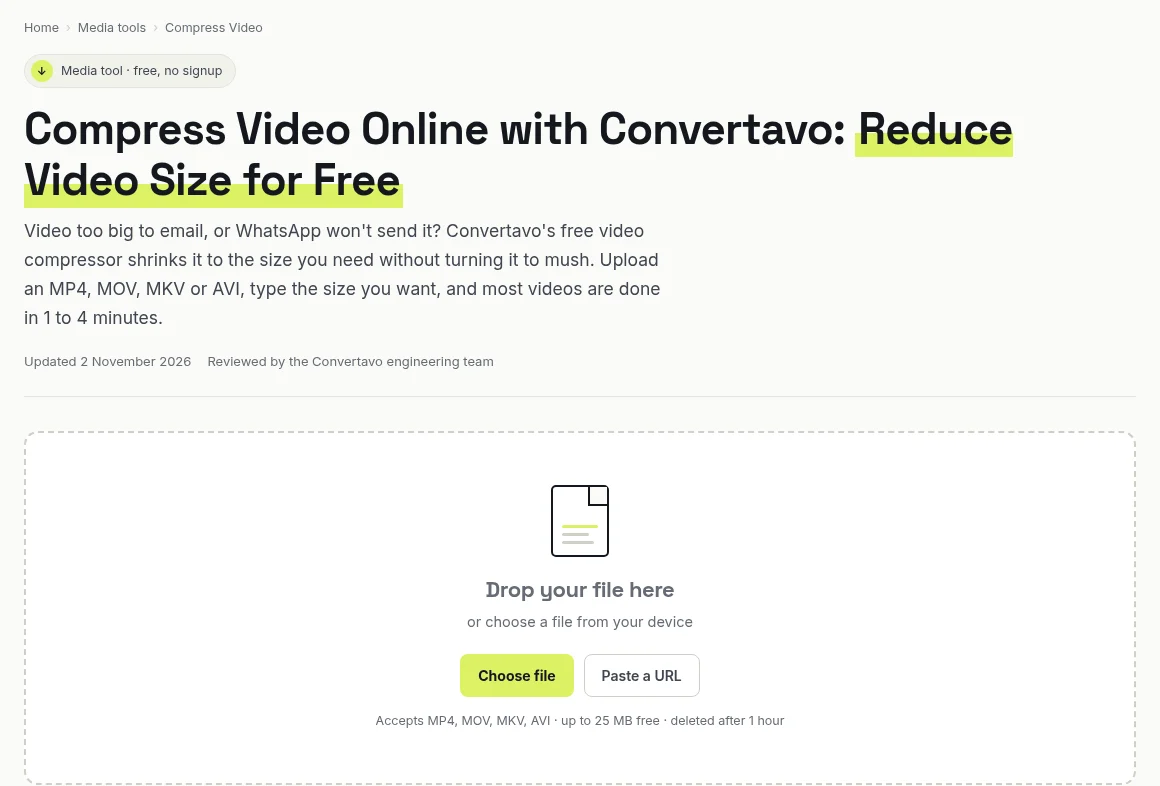
Type the size you need, and the video is compressed to fit.
A long video squeezed into 20 MB will look soft. For anything longer than a few minutes, a link is the better choice (see below). If you only need the sound, such as a lecture or a voice note, MP4 to MP3 makes a much smaller file.
When to send a link instead
Compressing is not always the answer. Send a link instead when:
The file is far over the limit, such as a 2 GB video for an email.
The quality matters, such as photos going to a printer or a video for editing.
Several people need the same file, and you do not want ten copies going around.
Gmail does this for you with Google Drive when your attachments go over 25 MB. Outlook.com does the same with OneDrive, and iCloud Mail with Mail Drop. Check that the sharing setting lets the other person open the file before you send it.
WhatsApp: send it as a document to keep the quality
WhatsApp compresses photos and videos you send from the gallery, so they arrive smaller and softer than the original. To send the original file, tap the attachment icon, choose Document instead of Photos & videos, and pick the file. Documents can be up to 2 GB.
The person receiving it gets the full file, so this is also the way to send a PDF or a large video without losing detail.
Want the video to play in the chat and still look sharp? Here is how to send a video on WhatsApp without losing quality, with the size to aim for.
Quick checklist before you hit Send
Find the limit for where it is going in the table above.
For email, aim for about three quarters of the limit.
Compress first. Resize photos before compressing them.
Still too big? Split the PDF or send a link.
Work or school account? Your administrator's limit may be lower.
Frequently asked questions
What is the maximum attachment size in Gmail?
25 MB for a personal Gmail account. If your attachments add up to more, Gmail turns them into a Google Drive link instead. Work and school accounts can have a different limit set by the administrator.
Why does my email bounce when the file is under 25 MB?
Email converts attachments to text before sending, which makes them about a third bigger, and the receiving server has its own limit. A file near 25 MB can bounce even if your app accepted it. Compress it to about three quarters of the limit to be safe.
What is the Discord file size limit for free users?
20 MB per file since August 2026, up from 10 MB. Nitro Basic allows 50 MB, and Nitro allows 500 MB.
How do I send a large video on WhatsApp without losing quality?
Send it as a document instead of from the gallery. Documents are not compressed and can be up to 2 GB.
How can I make a PDF small enough to email?
Use a PDF compressor and set a target size, about 15 MB for Gmail or Outlook. If it is still too big, split it into parts or share it as a link.
Try it on your own file
Free, no signup, and your file is deleted an hour later.
Noman Mustafa — Founder of Convertavo I build the file tools on this site. Fifteen years of writing software, and most of my days now go into making PDF, image and OCR processing fast enough to run in a browser tab. I write here about what I learn breaking files apart.