How to Move Your Short Links to a New Shortener
Switching link shorteners? Your old links will not follow you. Here is how to move a whole list in one go, and what to fix before you do.
 Noman Mustafa Owner
- Published
- Reading time9 min
On this page 21 sections
Your shortener changed its free plan, and you have 300 links to move.
Start with the part nobody says out loud. Your old short links cannot be transferred. They live on the old service's domain, so you build new ones and swap them in wherever you can.
That sounds worse than it is. When you move short links to a new shortener, the rebuild takes about ten minutes for a whole list. The swapping is the real job, and this guide puts it in the right order.
How to move a whole list in one go
Seven steps. Do not cancel the old account until step seven is finished.
Export your links from the old service. Nearly every shortener has an export button that gives you a CSV. Save it somewhere safe, because it is the only copy of what pointed where.
Tidy the spreadsheet. You need three columns: the long URL, the back-half, and a name you will recognise. The back-half is the code at the end of a short link, like spring-sale. Delete the dead links while you are here.
Upload it. Open the bulk URL shortener, drop in your CSV or TXT file of up to 1 MB, or paste the addresses one per line.
Match the columns. Pick the column holding the long URLs. Then pick your back-half column as the custom ending, so your codes carry over wherever they are still free. Leave the header tick on if your first row holds column names.
Press Shorten them all. A short list takes seconds. A few hundred links take a few minutes, because every row gets a safety check. A bad row is noted and skipped, and the rest carry on.
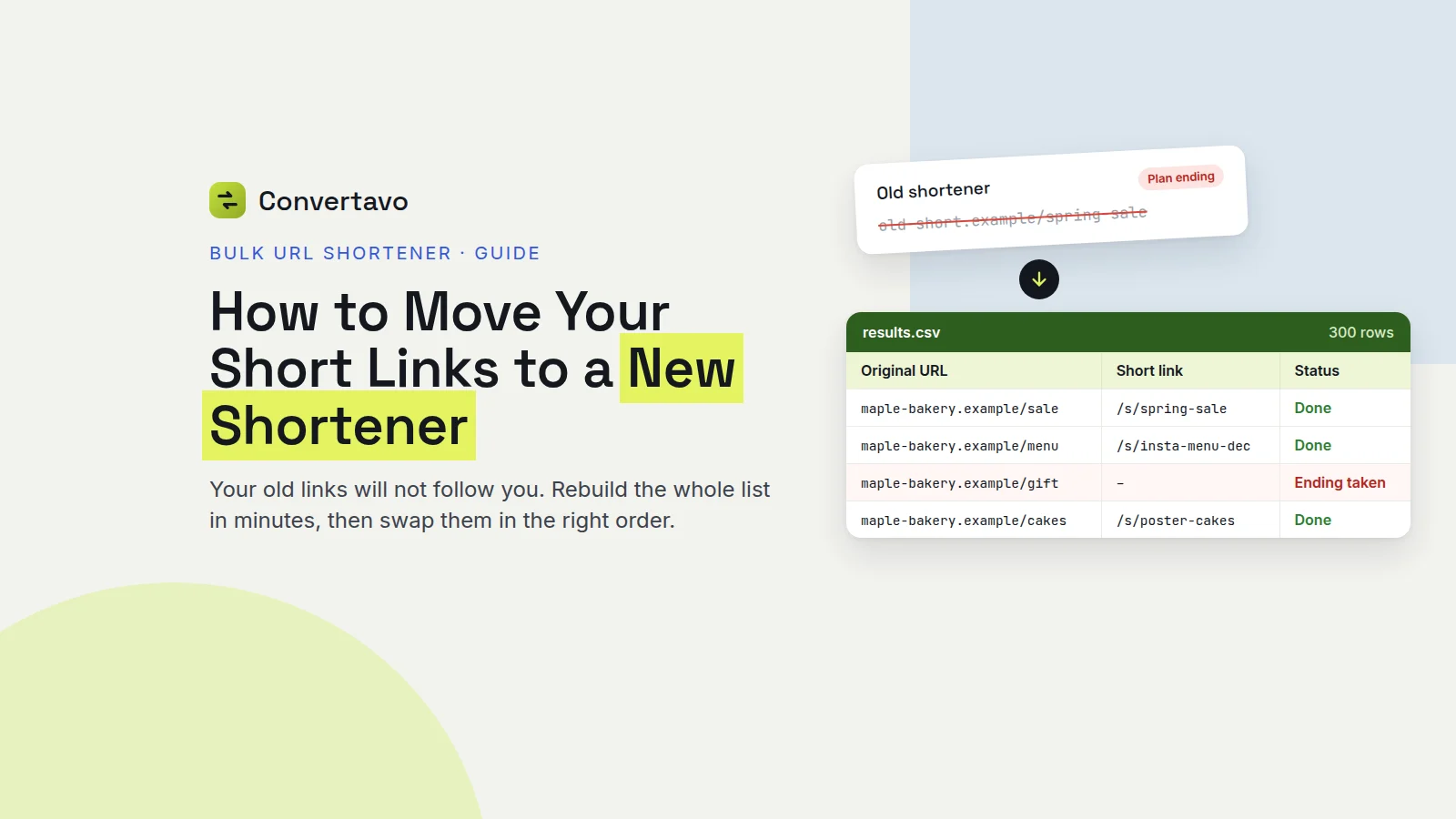
Download the results file. It has every original URL, its new short link, a QR code link and a reason for any row that failed. Keep that file. It is how you match old to new later.
Swap the links where they live. Start with the places that get the most traffic: your bio, your pinned post, the current campaign. Work down from there.
Without an account you can do 50 links per upload and 2 uploads a day. A free account raises it to 500 per upload and 20 uploads, which covers 10,000 links a day.
What goes in, and what comes out
A list or a spreadsheet goes in. One results file comes out, in the same order as your rows.
| Details |
|---|---|
Paste in | Addresses, one per line, blank lines skipped |
Upload | CSV or TXT, up to 1 MB |
Separators | Commas, semicolons or tabs, so Excel, Google Sheets and Numbers all work |
Columns you can map | Long URL (needed), custom ending, title, tags |
Address rule | Every link must start with http:// or https:// |
Custom ending rule | 3 to 40 letters, numbers, hyphens or underscores |
Per upload | 50 without an account, 500 with a free one |
Per day | 2 uploads without an account, 20 with one |
Out | A CSV with the original URL, the short link, a QR code link and a status for every row |
Cost | Free, with no paid tier and no watermark |
Two things worth knowing about that table.
The original URL stays in every row of the results. That sounds small, and it is what lets you match 300 new links back to 300 labels without guessing.
And a row that fails does not stop the run. The reason sits beside that row, so you fix those few and upload just them again.
What to do about the links you cannot reach
Some links you can swap in a minute. Others are printed on 2,000 boxes. Here is the order to handle them in.
Links in your own pages and profiles
Easiest, and worth doing first. Your bio, your pinned posts, your website, your email signature. Use the results file, search for the old link, paste the new one.
Links inside an old newsletter
You cannot edit an email that has already been sent. So leave the old shortener running as long as it is free, and accept that those links die when it stops.
If the campaign still brings traffic, point the old link at the same page one last time before you leave. That buys you time.
QR codes already printed on labels
This is the painful one, and it is why re-pointing matters. A printed code holds the old short link, so the code itself cannot change.
While you still have access, edit the old link's destination so it sends people to the right page. Then print new codes for the next batch of stock, made from your new links.
Posters, cards and packaging
Same rule. Re-point the old link while you can, replace the printed version at the next reprint, and never throw away the spreadsheet that says which code is which.
A client's links moving into your own account
Export first, then agree who keeps the old account alive and for how long. Put that in writing. Nothing breaks a handover faster than someone cancelling a plan in month two.
Links you are not sure are still used
Check the click counts in the old account before you move anything. Half a list is usually dead, and moving dead links wastes your daily uploads.
If you find an old short link and cannot remember where it goes, the Link Expander shows you without opening it.
Is it free, and is it safe?
Yes to both, and here are the real numbers rather than a promise.
Is it free?
Completely. There is no paid tier on this tool, no watermark on the results and no limit on what you do with the links afterwards.
The only limits are on how much you can run at once: 50 links per upload and 2 uploads a day without an account, or 500 per upload and 20 uploads a day with a free one. They exist to stop spam runs, not to sell you anything.
Do I need an account?
Not for 50 links. Without one, the links belong to that browser, so you can only find and edit them from there.
For a migration, sign up. When you are handling hundreds of links you want them all in one dashboard, and you want to be able to edit a destination later.
Is every link checked?
Yes. Each row gets the same phishing and malware check as a single short link, before it goes live.
One rule catches people out here. A link that points at another link shortener is refused, because a short link in front of another one hides where it really goes. Shorten the final address instead.
What happens to my list?
Your uploaded file is processed and your results file is yours to download. Keep it. It is the only record matching every old link to its replacement, and you will want it the first time a printed code goes wrong.
What actually moves with you, and what does not
A short link is not a file you can carry across. It is a redirect that lives on somebody's domain, and that is the whole problem.
When someone taps example-shortener.com/abc, the request reaches that company's servers, and they decide where it goes. Leave, and they stop answering for you. So when you move short links to a new shortener, it is a rebuild, not a transfer.
Does it come with you? | What to expect |
|---|---|
The destination address | Yes. That is what you re-shorten |
Your back-half, like spring-sale | Usually yes, if nobody here has taken it |
The old short link itself | No. The domain belongs to them |
Your click history | No. Export it before you leave if you need it |
Printed QR codes | No. Re-point the old link while you still can |
Passwords and expiry dates | Usually not. Set them again on the new links |
Keep your back-halves, it is the one shortcut
Map your old back-half column when you upload, and your codes stay the same. Then your new link reads convertavo.com/s/spring-sale instead of a random string.
That matters for more than looks. Anywhere you wrote the code by hand, in a document, on a slide, in a spreadsheet, the only thing that changes is the part before it.
Name codes so the clicks are readable later
If you are rebuilding anyway, fix the names now. A short link called /s/a7f3k tells you nothing in six months.
Use a pattern and stick to it, like place-thing-month: insta-menu-dec, poster-menu-dec, sms-menu-dec. Same page, three codes, and the click counts tell you which one worked.
For anything going into a campaign report, tag the long URL first with the UTM Link Builder, then shorten the tagged version. Tagging after the fact does not work.
The order that avoids a dead window
Do it in this order and nothing ever stops working:
Export, then rebuild the list in the new tool.
Swap the links in the places you control.
Re-point the old links you cannot reach.
Leave the old account open for a season.
Close it when the click counts there reach nearly zero.
The mistake is cancelling first. Do that and you find out which links mattered from the people complaining.
Why did some rows fail?
Ten common cases. The reason sits beside the row in your results file, and the rest of the list still ran.
What the row says | Why | What to do |
|---|---|---|
Not a full web address | It does not start with http:// or https:// | Add the https:// and run that row again |
The ending is taken | Somebody here already has that back-half | Add a word to it, like spring-sale-26 |
The ending is not allowed | It breaks the 3 to 40 character rule | Use letters, numbers, hyphens or underscores only |
A link to another shortener | A short link in front of a short link hides the real page | Put the final address in that row instead |
Failed the safety check | The page is flagged for phishing or malware | Check where it really goes before using it |
The first row became a link | The header tick was off | Turn on the header setting and upload again |
Every row failed | The wrong column was mapped as the long URL | Map the column that holds the addresses |
Odd characters in the file | Excel added a hidden mark at the start | Save as CSV UTF-8 and upload again |
Nothing uploaded | The file is over 1 MB, or not CSV or TXT | Split it, or save it in the right format |
You hit the daily limit | 2 uploads without an account, 20 with one | Sign in free, or continue tomorrow |
Fix the failed rows in a small file of their own and upload just those. There is no need to run the whole list again.
Other free link tools
URL Shortener handles the one-off links you make after the move, with a custom ending, an expiry date or a password.
UTM Link Builder tags a link for a campaign before you shorten it, which is the only order that works.
QR Code Generator makes a styled code with your logo for the labels you reprint.
Rebuild the list today, swap the links this week
Export your old links, keep the long URL and the back-half columns, and run the file through the free bulk URL shortener. Save the results file, swap the links you control first, and re-point the printed ones while you still have access. Close the old account only when nobody is clicking it. That is how to move short links to a new shortener without a dead window.
Frequently asked questions
Do my old short links stop working if I switch?
They keep working only while the old service keeps running them. The links live on that company's domain, so leaving means you build new ones and swap them in.
Can I keep my existing short codes?
Yes, where they are free. Map your old back-half column when you upload, and your codes carry over, so only the part before them changes.
How many links can I shorten at once?
Fifty per upload without an account, or 500 with a free one. The daily cap is 2 uploads signed out and 20 signed in, which is up to 10,000 links a day.
Does my click history come with me?
No. Export the numbers from the old service before you close anything, because once the account goes, so do they.
What about QR codes already printed?
The code holds the old link, so it cannot be changed. While you still have access, re-point that old link at the right page, then print new codes at the next run.
What file can I upload?
A CSV or TXT file of up to 1 MB, with commas, semicolons or tabs as separators. No file? Paste the addresses one per line instead.
Try it on your own file
Free, no signup, and your file is deleted an hour later.
Noman Mustafa — Founder of Convertavo I build the file tools on this site. Fifteen years of writing software, and most of my days now go into making PDF, image and OCR processing fast enough to run in a browser tab. I write here about what I learn breaking files apart.